Open Source Internal Admin Dashboard Template
CRUD, tables, roles, and internal workflows over your data.
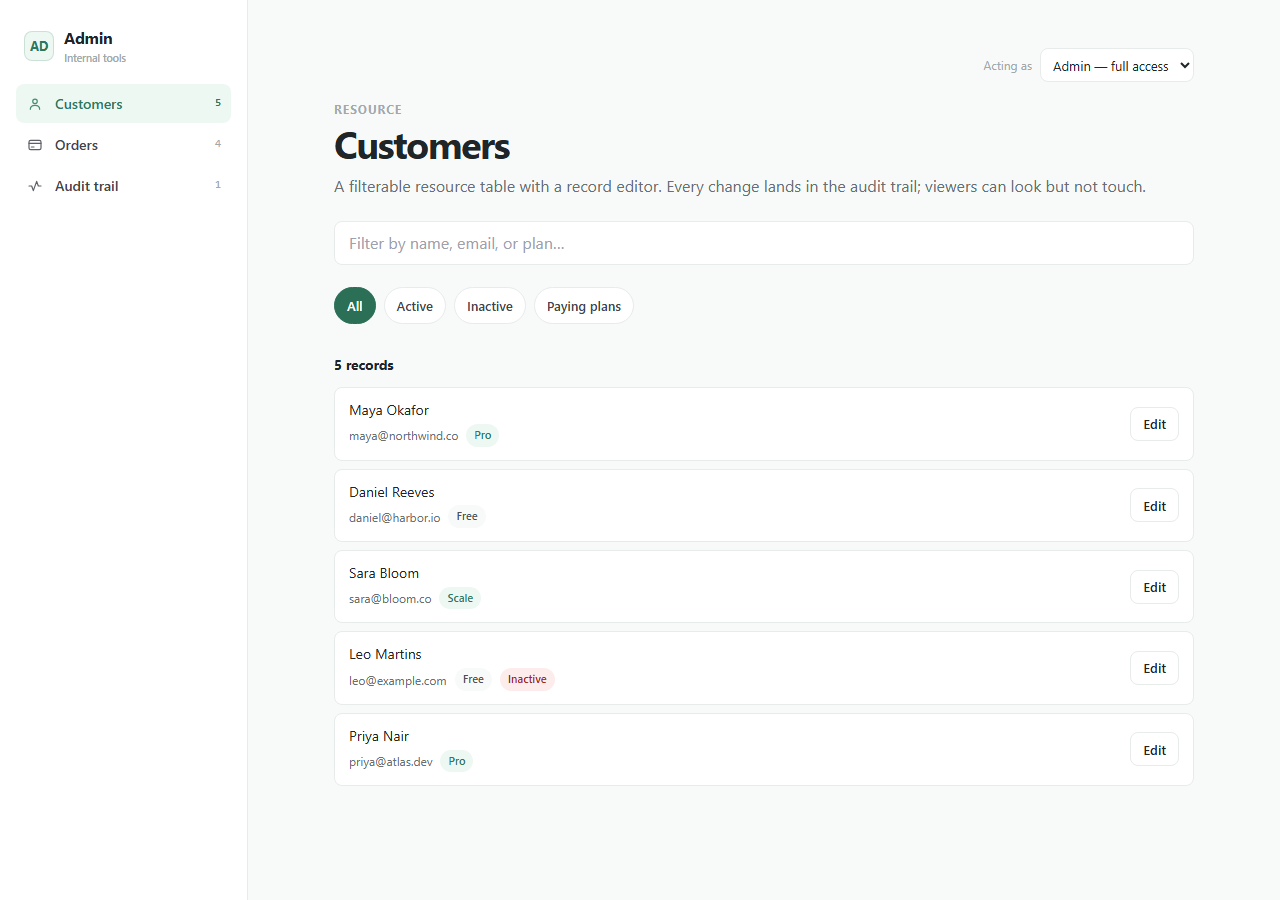
A practical internal tools foundation with resource tables, record editors, saved views, permissions, and audit trails.
This is the real app, not a mockup. Whatever you enter in the demo stays in your browser and belongs to nobody.
What you get
One zip. Everything to own it.
Internal Admin Dashboard is a developer-tool foundation for turning a database into a maintainable internal product. It includes table patterns, record drawers, saved views, role boundaries, audit logs, and documentation for adding resources without producing one-off admin screens.
- Resource tables
- Record editors
- Saved filters
- Role-based access
- Audit trail
internal-admin-dashboard/├── app/the running Next.js app├── agent/START_HERE, PROJECT_MAP, RULES, RECIPES, TESTS, DEPLOY├── CLAUDE.mdread automatically by Claude Code├── AGENTS.mdread automatically by Codex├── .cursor/rules/loaded automatically by Cursor└── README.mdrun it, then make it yours
Inside the app
Customize with AI
Your agent already knows this codebase.
Agent docs describe resource registration, table columns, permissions, and record editor patterns.
Prompts written against this app
Run it
5 min to your own copy.
- 01Create your editable app copy and unzip it.
- 02Run npm install.
- 03Run npm run dev and open http://localhost:3000.
- 04Read /agent/START_HERE.md before customizing.
- 05Swap the local-first storage boundary for your own backend when ready.
Internal Admin Dashboard data stays in this browser by default.
No account, backend, or cloud sync is included in the current package.
An agent can add optional sync later while preserving the local-first default.
This package is standard-ready for Create My App and AI customization.
A full app-only PWA install route is not enabled yet for this app.
If this isn’t quite right
Take Internal Admin Dashboard and make it yours.
Free, MIT, 5 min to running. The demo above is exactly what lands in your folder.