Open Source Expense Tracker Template
Three-second logging, and a month view that tells the truth.
A fast expense logger with categories, a monthly budget, and a breakdown that shows exactly where the money went.
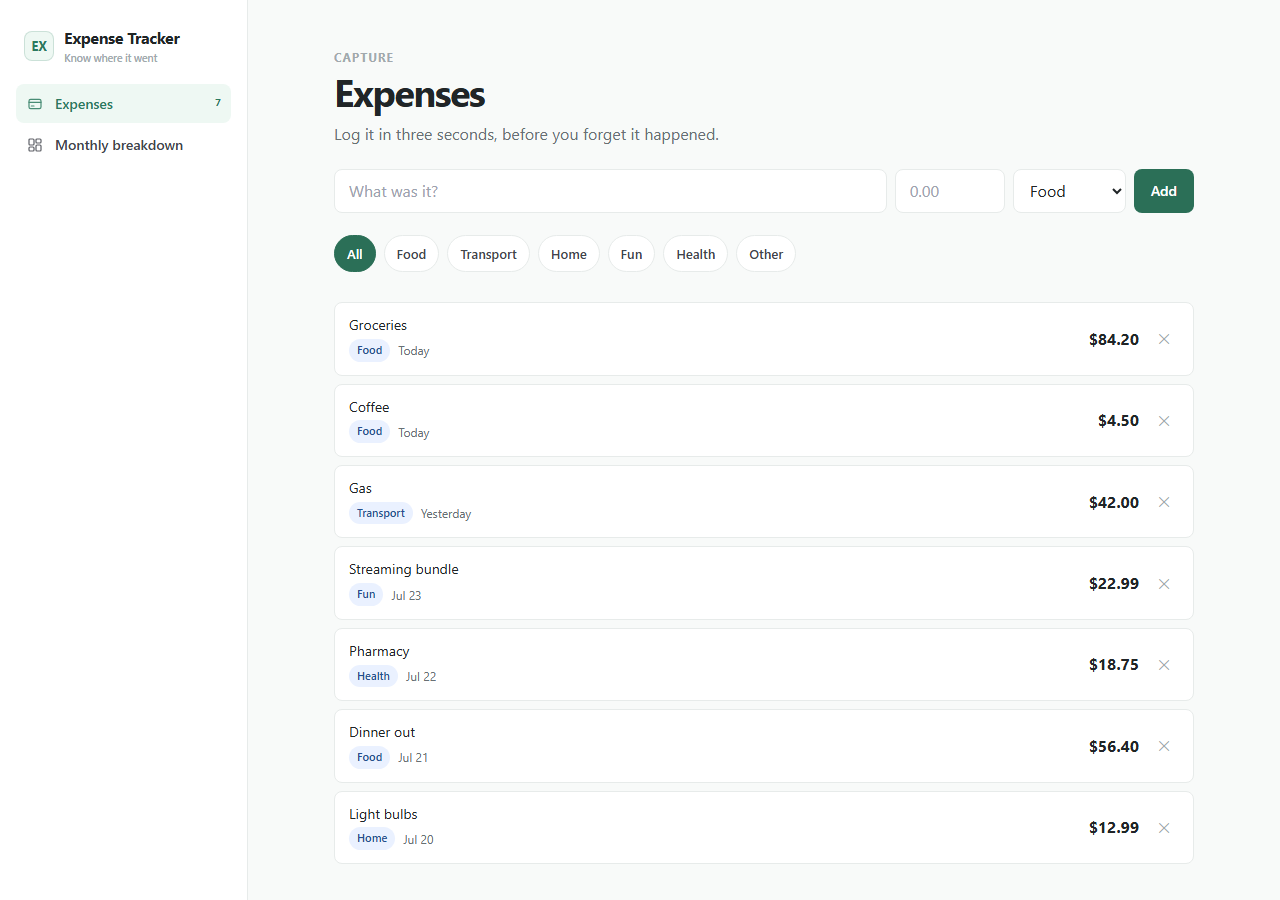
This is the real app, not a mockup. Whatever you enter in the demo stays in your browser and belongs to nobody.
What you get
One zip. Everything to own it.
Expense Tracker is built around one habit: log it before you forget it happened. Capture takes three fields, the month view rolls everything into category bars against your budget, and the math is computed from your entries — never typed in. Swap the categories, currency, or budget logic to match how you actually spend.
- Three-field expense capture
- Category filters
- Monthly budget with remaining/over state
- Category breakdown with bars
- Computed totals — nothing hand-entered
expense-tracker/├── app/the running Next.js app├── agent/START_HERE, PROJECT_MAP, RULES, RECIPES, TESTS, DEPLOY├── CLAUDE.mdread automatically by Claude Code├── AGENTS.mdread automatically by Codex├── .cursor/rules/loaded automatically by Cursor└── README.mdrun it, then make it yours
Inside the app
Customize with AI
Your agent already knows this codebase.
Ships with CLAUDE.md, AGENTS.md, Cursor rules, and a full agent handbook — project map, safety rules, recipes, tests, and deploy notes.
Prompts written against this app
Run it
5 min to your own copy.
- 01Create your editable app copy and unzip it.
- 02Run npm install.
- 03Run npm run dev and open http://localhost:3000.
- 04Read /agent/START_HERE.md before customizing.
- 05Swap the local-first storage boundary for your own backend when ready.
Expense entries stay in this browser by default.
No account, backend, bank connection, or cloud sync is included in the current package.
An agent can add exports, imports, or optional sync while keeping local capture fast.
This package is standard-ready for Create My App and AI customization.
A full app-only PWA install route is not enabled yet for this app.
If this isn’t quite right
Take Expense Tracker and make it yours.
Free, MIT, 5 min to running. The demo above is exactly what lands in your folder.