Open Source Personal Operating System Template
Tasks, notes, routines, and planning in one owned workspace.
A flexible personal system foundation for daily planning, projects, notes, habits, and review loops.
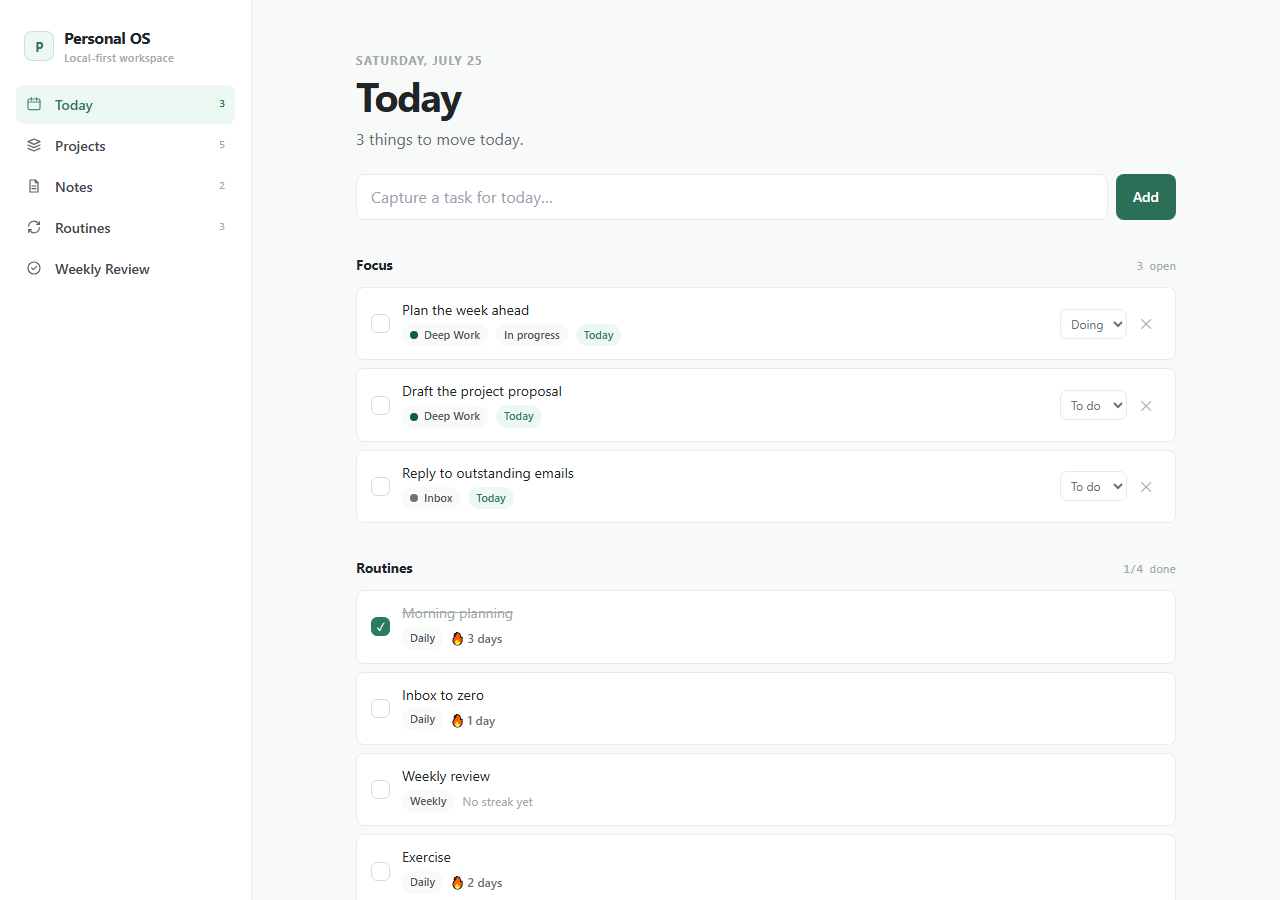
This is the real app, not a mockup. Whatever you enter in the demo stays in your browser and belongs to nobody.
What you get
One zip. Everything to own it.
Personal Operating System gives builders a calm owned workspace they can shape into a private productivity product. The foundation ships with clear data boundaries, seed workflows, agent instructions, and deploy-ready Next.js structure so an AI coding agent can safely add the exact routines, views, and review cycles you want.
- Today view with focused planning primitives
- Projects, tasks, notes, routines, and reviews
- Clear storage adapter boundaries
- Responsive mobile-first workspace
- Seed data and customization recipes
personal-operating-system/├── app/the running Next.js app├── agent/START_HERE, PROJECT_MAP, RULES, RECIPES, TESTS, DEPLOY├── CLAUDE.mdread automatically by Claude Code├── AGENTS.mdread automatically by Codex├── .cursor/rules/loaded automatically by Cursor└── README.mdrun it, then make it yours
Inside the app
Customize with AI
Your agent already knows this codebase.
Includes project map, safe modification rules, workflow recipes, test guide, and storage notes for Codex, Claude Code, Cursor, and similar agents.
Prompts written against this app
Run it
5 min to your own copy.
- 01Create your editable app copy and unzip it.
- 02Run npm install.
- 03Run npm run dev and open http://localhost:3000.
- 04Read /agent/START_HERE.md before customizing.
- 05Swap the local-first storage boundary for your own backend when ready.
Personal Operating System data stays in this browser by default.
No account, backend, or cloud sync is included in the current package.
An agent can add optional sync later while preserving the local-first default.
This package is standard-ready for Create My App and AI customization.
A full app-only PWA install route is not enabled yet for this app.
If this isn’t quite right
Take Personal Operating System and make it yours.
Free, MIT, 5 min to running. The demo above is exactly what lands in your folder.