Open Source Planting Calendar Template
Two frost dates in, a whole year of sowing dates out.
A vegetable planting calendar that works out start-indoors, transplant, sow, and first-harvest dates for 25 crops from your own last and first frost dates.
This is the real app, not a mockup. Whatever you enter in the demo stays in your browser and belongs to nobody.
What you get
One zip. Everything to own it.
Every seed packet describes dates relative to a frost you have to know yourself: start indoors six weeks before the last frost, plant out two weeks after it, harvest in seventy-five days. This app does that arithmetic for twenty-five common crops at once. Type your last spring frost and first autumn frost, and it produces a dated job list — what to start under lights this week, what to sow next month, what is already late — plus a year-long timeline showing seedlings under lights, plants in the ground, and the first harvest for each crop against both frost lines. It also flags the crops that will not finish: if a pumpkin needs one hundred and five days and your season is one hundred and thirty, that is fine, and if it is not, the app says so in red rather than letting you find out in October. Days to maturity is counted from transplanting for anything started indoors and from sowing for anything direct-sown, which is the convention on the packet and the detail most calculators quietly get wrong.
- Start-indoors, plant-out, sow, and first-harvest dates for 25 crops
- Every date derived from your own two frost dates
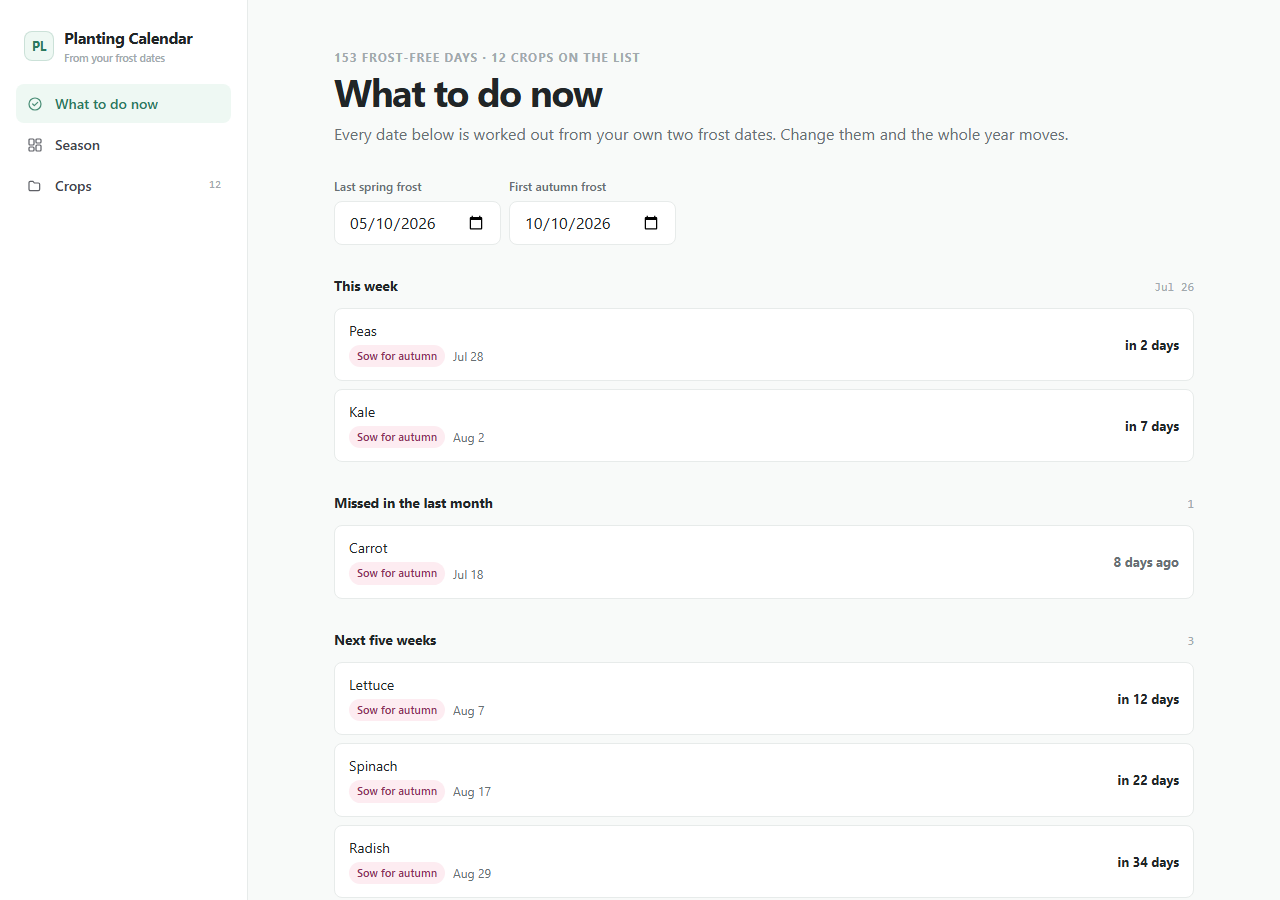
- Dated job list: this week, already past, and the next five weeks
- Year timeline with seedling and in-ground phases against both frosts
- Flags crops that would ripen after the first autumn frost
- Editable crop table, and add your own varieties
planting-calendar/├── app/the running Next.js app├── agent/START_HERE, PROJECT_MAP, RULES, RECIPES, TESTS, DEPLOY├── CLAUDE.mdread automatically by Claude Code├── AGENTS.mdread automatically by Codex├── .cursor/rules/loaded automatically by Cursor└── README.mdrun it, then make it yours
Inside the app
Customize with AI
Your agent already knows this codebase.
Ships with CLAUDE.md, AGENTS.md, Cursor rules, and a full agent handbook — project map, safety rules, recipes, tests, and deploy notes.
Prompts written against this app
Run it
5 min to your own copy.
- 01Create your editable app copy and unzip it.
- 02Run npm install.
- 03Run npm run dev and open http://localhost:3000.
- 04Read /agent/START_HERE.md before customizing.
- 05Swap the local-first storage boundary for your own backend when ready.
Planting Calendar data stays in this browser by default.
No account, backend, or cloud sync is included in the current package.
An agent can add optional sync later while preserving the local-first default.
This package is standard-ready for Create My App and AI customization.
A full app-only PWA install route is not enabled yet for this app.
Questions people ask
Look them up from a local agricultural extension service, a national weather service, or a neighbour who has gardened there longer than you. The app never asks for your location and makes no attempt to guess it — it works entirely from the two dates you type in.
It depends on the crop and your last frost date. Tomatoes are usually six weeks before it, peppers and aubergines eight, onions from seed ten. Enter your frost date and the app dates all twenty-five crops at once.
Its first harvest date falls after your first autumn frost, so it needs a longer season than you have. Start it earlier indoors, choose a shorter-season variety, or grow it knowing it is a gamble.
They are typical seed-packet figures applied to your dates, and frost dates are averages rather than promises — roughly half of years frost later than the date you enter. Every crop's weeks and days-to-maturity are editable so you can correct them for your own varieties and ground.
If this isn’t quite right
Take Planting Calendar and make it yours.
Free, MIT, 5 min to running. The demo above is exactly what lands in your folder.