Health · Local-first timer

Open Source Meditation Timer

Begin a focused session, keep a private practice history, and own the app you use.

Meditation App is a phone-friendly timer for people who want a simple self-directed practice. Choose or create a preset, run the countdown, and keep completed or partial sessions in this browser. This Foundationbase version includes validated JSON backups, a real installable web manifest, an offline service worker, and source instructions for changing the practice flow.

  • No account required
  • Data stored in this browser
  • JSON export and import
  • Installable PWA
  • MIT licensed
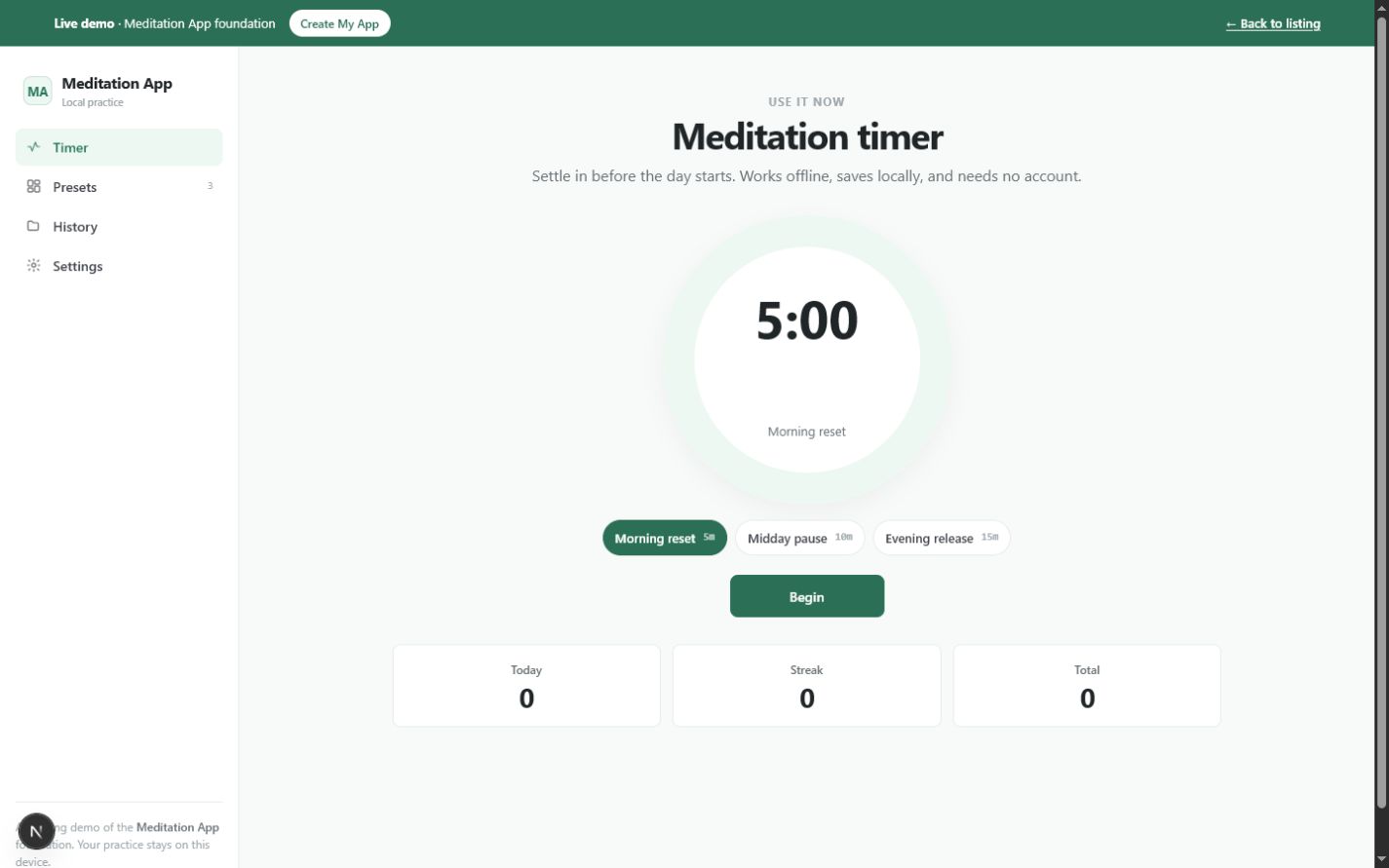
Meditation timer showing the selected Morning reset preset, five-minute countdown, preset choices, and local practice totalsOpen the working tool

Product preview

See Meditation App in use

These screens come from the working Foundationbase implementation.

Meditation timer showing the selected Morning reset preset, five-minute countdown, preset choices, and local practice totals
Timer and practice summaryThe main view combines the active preset, countdown control, quick preset selection, and local session totals.
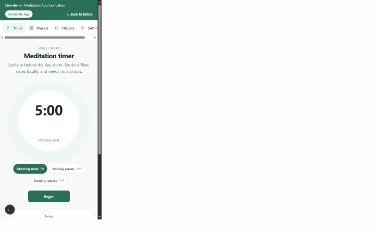
Mobile meditation timer with a circular countdown, Begin button, and phone navigation
Phone-sized meditation flowThe responsive layout keeps the countdown and primary action reachable on a narrow screen.
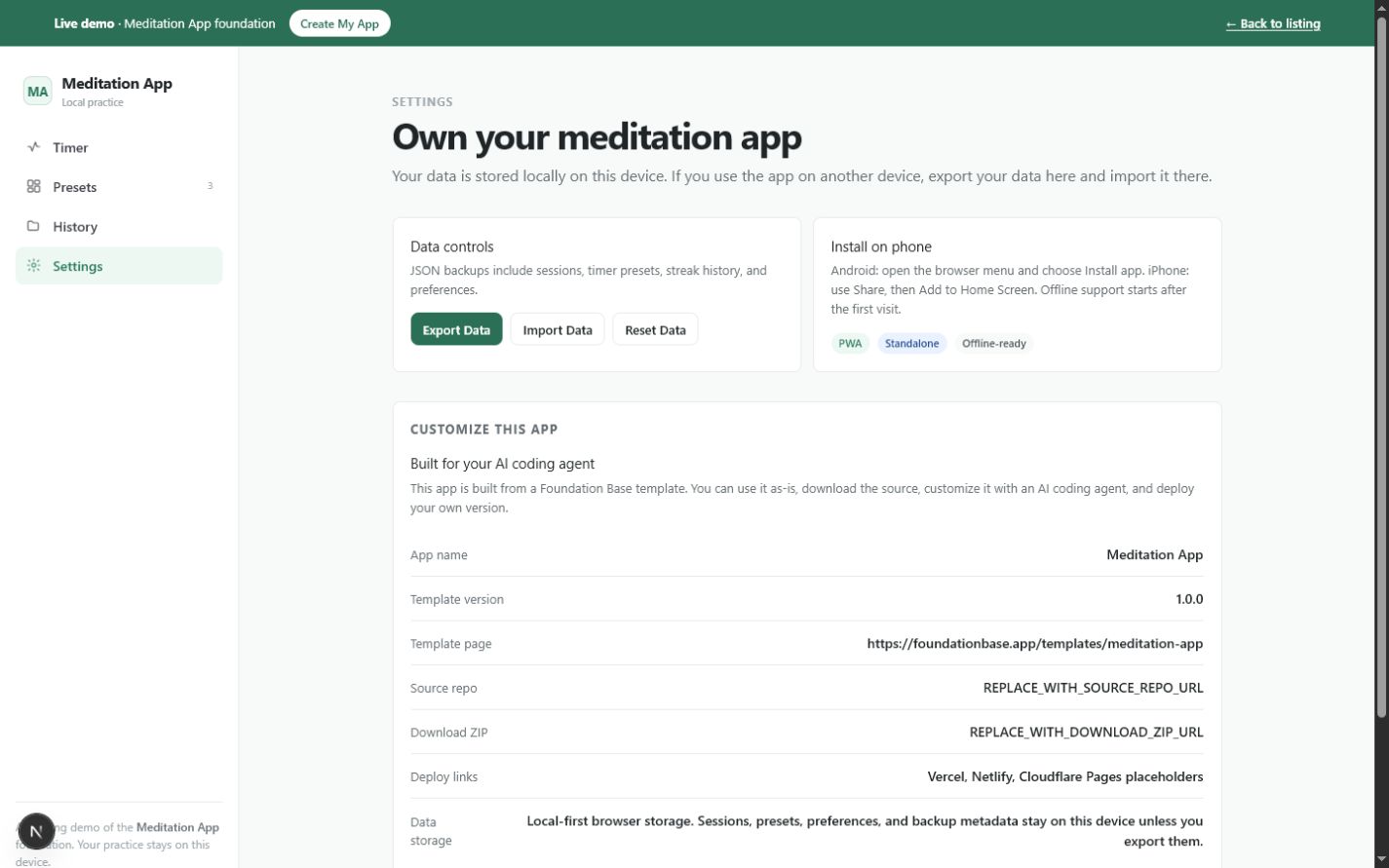
Meditation App settings showing JSON export, import, reset controls, PWA installation guidance, and AI customization information
Data and ownership controlsSettings exposes backup, reset, installation, and agent-customization paths instead of hiding data behavior.

What this tool helps you do

A focused timer for repeatable meditation sessions

A basic alarm can end a session, but it does not preserve reusable intentions, distinguish completed and partial practice, or provide a portable backup. Larger meditation platforms often add content libraries, accounts, subscriptions, and cloud profiles that are unnecessary for a personal timer.

This tool keeps the practice loop small: select a named duration, begin, finish when the countdown reaches zero or end early, and let the app record what happened. Presets, session records, and preferences remain in versioned browser storage until you export, import, delete, or reset them.

  • Start a saved meditation duration without rebuilding the session
  • Create presets with a name, duration, and intention
  • Distinguish completed sessions from sessions ended early
  • Review session count, minutes, and current streak
  • Move data manually with a validated JSON backup
  • Install the timer on a phone and reopen it offline after the first successful visit

What is included

Features grounded in the working tool

Preset-based countdown

Select a saved duration and intention, then run a second-by-second countdown. Ending after at least one minute records a partial session; reaching zero records a completed one.

Why it matters: A familiar practice starts in one step while the history remains honest about how the session ended.

Verified in: MeditationApp.tsx Timer component

Custom meditation presets

Add a preset with a name, a duration from one to 240 minutes, and an intention. The new preset becomes the selected session and persists locally.

Why it matters: Different routines can carry their own timing and purpose without being rebuilt each day.

Verified in: Preset type, validation, and Presets view

Local session history

Each record keeps its start time, date, preset identity, duration, and completed state. Individual history entries can be removed.

Why it matters: The tool can summarize real practice while keeping the underlying records understandable.

Verified in: Session type and History view

Practice summaries and streak

The timer and history views calculate sessions today, total minutes, completed sessions, and consecutive completed days.

Why it matters: Useful continuity signals are derived from session records rather than entered as decorative metrics.

Verified in: currentStreak and history summary calculations

Validated JSON backup

Export downloads a versioned JSON envelope. Import checks the schema, presets, sessions, and preferences before replacing current data.

Why it matters: Data can move between browsers without accepting an incompatible or malformed file blindly.

Verified in: validateData, exportData, and importData

Installable web app

A web manifest supplies a standalone display mode, start URL, theme, orientation, and 192- and 512-pixel icons.

Why it matters: Supported browsers can add the timer to a phone home screen without an app-store package.

Verified in: public/manifest.webmanifest and demo layout metadata

Offline fallback

The registered service worker caches the app shell and recent navigation responses, then falls back to an offline page when the network is unavailable.

Why it matters: After a successful first visit, the timer has a deliberate repeat-use path when connectivity drops.

Verified in: public/sw.js service-worker registration and cache strategy

Agent-ready customization boundary

The source separates template metadata and the agent prompt from timer behavior, and includes README, DATA, CUSTOMIZE, DEPLOY, and AGENTS guidance.

Why it matters: A coding agent can inspect the data contract and PWA files before changing the timer.

Verified in: foundationbase.ts and packaged documentation

How it works

From preset to private practice record

The actual workflow follows the timer and local data model rather than a generic onboarding sequence.

  1. Choose a practice

    Select Morning reset, Midday pause, Evening release, or a preset you created with its own duration and intention.

    The countdown resets to that preset's duration.
  2. Begin the countdown

    Press Begin to record the start time and run the timer once per second.

    The circular progress indicator and remaining time update during the session.
  3. Complete or end the session

    Let the countdown finish, or end early. Sessions shorter than one minute are discarded; longer early endings are saved as partial.

    History reflects what actually happened.
  4. Review practice history

    Open History to see each preset, duration, timestamp, and completed or partial status, plus aggregate totals.

    You can inspect or remove individual records.
  5. Back up before changing devices

    Export the JSON file from Settings and import it in another browser. The importer validates the file before replacement.

    Presets, sessions, and preferences move manually without a cloud account.

Real use cases

Where this tool fits

A private daily sitting practice

For an individual meditator

Situation: You use the same short morning practice and do not need guided audio or social features.

Workflow: Select the morning preset, run the timer, and review the completed-day streak when useful.

Outcome: A repeatable practice and history stay in the browser you control.

Several routines in one timer

For someone alternating short and long sessions

Situation: Weekday pauses and weekend sessions use different durations and intentions.

Workflow: Create separate presets, choose the relevant one before each sitting, and let history retain the preset name.

Outcome: One small tool supports distinct routines without a complex content library.

A coach's prototype companion

For a meditation or wellness coach

Situation: You want a branded timer that reflects a method before investing in accounts or a backend.

Workflow: Create the source copy, rename the presets and guidance, adjust the theme, and deploy a stable URL for clients.

Outcome: A focused prototype starts from working timing, storage, backup, and PWA behavior.

A base for a breath or focus timer

For a developer or curious builder

Situation: The core need is a trustworthy countdown and local history, but the domain is breathwork or deep work.

Workflow: Adapt the preset fields and timer labels while preserving the versioned storage and import validator.

Outcome: The timer becomes a different focused tool without discarding its tested data boundaries.

Who it is for

A focused fit, with clear limits

Ideal for

  • People who prefer self-directed timed meditation
  • Anyone who wants practice data kept in one browser by default
  • Builders who want a working timer and PWA foundation
  • Coaches prototyping a branded timer without an account system

Especially useful for

  • Repeating several named practice durations
  • Using a timer from a phone home screen
  • Moving records manually with JSON
  • Learning how local data, validation, and a service worker fit together

Not the best fit if you need

  • A guided meditation audio catalog
  • Automatic synchronization across phones and computers
  • Shared coach and client accounts
  • Clinical notes or regulated health records
  • Background alarms guaranteed by native operating-system scheduling

Use it, install it, or make it yours

Choose the path that matches your goal

Use it now

Open the live timer, select a preset, and begin. Sessions and settings are written to this browser's localStorage; no registration screen or remote profile is involved.

Install it

On a supported Android browser, use Install app; on iPhone, use Safari's Share menu and Add to Home Screen. Installation uses the real manifest. Offline repeat use depends on the service worker having cached the app after an online visit.

Create your copy

Download the MIT-licensed source package with the timer code, versioned data model, manifest, service worker, icons, and setup, data, customization, deployment, and agent instructions.

Customize it with an agent

Ask a coding agent to add interval bells, a preparation phase, notes, different themes, or another practice model. Prompts should preserve import compatibility when the stored schema changes.

Deploy your version

Run the project's checks, publish it to a host that supports the chosen Next.js/static configuration, and use that stable HTTPS URL as your own app link and installation target.

Customization ideas

Change this tool without starting over

The timer, presets, data validator, PWA files, and template metadata are identifiable seams. Small visual changes can stay local to copy and CSS; data-model changes should update validation and backup compatibility together.

Simple customization

  • Rename the default presets and intentions
  • Change the calm, morning, and night color themes
  • Adjust the default durations
  • Rewrite completion and empty-state language

Functional customization

  • Add a preparation countdown before the session
  • Add interval bells or silent phase markers
  • Attach an optional note or mood to each session
  • Show a weekly practice summary derived from session records

Advanced customization

  • Add optional encrypted multi-device backup
  • Publish coach-authored preset collections
  • Connect opt-in calendar reminders
  • Add an audio library with explicit download and offline-cache controls

Prompts for Codex, Claude Code, Cursor, or another coding agent

Add preparation and interval bells to Meditation App. Let each preset choose a preparation delay and interval length. Update the Preset type, validateData import checks, and JSON backup format without breaking existing version 1 backups.
Add optional notes to completed and partial meditation sessions. Keep Foundationbase.meditation-app.v1 readable, migrate records that have no note, update export/import validation, and keep all data local by default.
Create a weekly practice review from the existing Session records. Show completed minutes by day and do not add accounts, analytics, or a remote API.

Technical details

Implementation facts

Framework
Next.js 15 and React 19
Language
TypeScript
License
MIT
Version
1.0.0
Storage
Browser localStorage, versioned key Foundationbase.meditation-app.v1
Account required
No
Offline support
Included after a successful first visit; service-worker behavior remains browser-dependent
PWA installation
Yes, with a standalone web manifest and app icons
Export format
Versioned JSON backup with runtime shape validation on import
External APIs
None in the current implementation
Mobile support
Responsive phone-first interface; desktop also supported
Last verified
July 18, 2026

Deployment options

  • A Next.js-compatible host
  • A static host when the copied project is configured for static export
  • Local development with npm run dev

Privacy and data behavior

What happens to your data

By default, Meditation App stores presets, sessions, and preferences in this browser. The implementation does not call an application API, create an account, or transmit practice records. Manual export creates a file only when you request it.

Stored data

  • Preset names, durations, and intentions
  • Session start time, date, duration, preset identity, and completed state
  • Selected preset, sound choice, and theme
  • Schema version and update timestamp

Storage and network

Location: localStorage in the current browser profile under Foundationbase.meditation-app.v1

Network: The app loads site assets and the service worker may fetch and cache app responses. No third-party data service receives the stored meditation records in the current code.

Your controls

Delete: Delete individual sessions, remove presets while at least one remains, or confirm Reset Data to replace the local dataset with defaults. Clearing site data also removes it.

Export: Export Data downloads a JSON backup; Import Data validates a selected JSON file before replacing current data.

Data limitations

  • Data does not synchronize automatically between browsers or devices
  • Clearing browser storage, uninstalling with site data removal, or some private-browsing behavior can remove records
  • Anyone with access to the same unlocked browser profile may be able to open the local data
  • The localStorage record is not presented as encrypted at rest

Verification and known limitations

Checked against the implementation

Checks

  • Timer, preset, history, settings, and storage code inspected
  • Manifest fields and icon paths inspected
  • Service-worker registration and offline fallback strategy inspected
  • JSON export envelope and import validator inspected
  • Production typecheck, build, route, structured-data, and responsive checks are part of the current pilot quality gate

Known limitations

  • No guided audio or content library
  • No automatic cloud sync or account recovery
  • The soft-chime preference is stored, but the current timer does not play an audible chime
  • Offline availability is best-effort and begins only after required responses are cached
  • Native operating systems may throttle browser timers when an app is backgrounded

Foundationbase verification checks expected functionality, packaging, setup clarity, and common implementation concerns. It is not a professional security audit, accessibility certification, legal review, or guarantee of production suitability.

Comparison

A meditation timer foundation versus other starting points

The relevant choice is not which product makes the broadest promise; it is which starting point already contains the timing, history, privacy, and ownership boundaries you need.

DecisionFoundationbase toolStarting from scratchGeneric alternative
Timer logicWorking preset countdown with completed and partial session recordsYou design countdown, interruption, and completion behaviorUsually fixed by the provider
Practice historyLocal session records, totals, and derived streakRequires a data model and summary calculationsOften tied to a cloud account
Offline useManifest and service-worker fallback are includedYou implement and test the PWA lifecycleVaries by plan and platform
Data portabilityValidated JSON export and importYou define format, validation, and migrationExport may be absent or provider-specific
Guided contentNot included; this is a self-directed timerYou source and license contentOften the main product feature
CustomizationMIT source plus architecture-specific agent instructionsComplete freedom with no working baselineUsually limited to settings
Accounts and syncNo account and no automatic syncYou choose whether to add themCommonly required for history

FAQ

Questions about Meditation App

Is this meditation timer free to use and modify?

Yes. The live tool is free to use, and the downloadable source is listed under the MIT license. Review the license text in your copy before distributing a modified version.

Can I install Meditation App on my phone?

Yes, where the browser supports installation or Add to Home Screen. The app has a standalone web manifest and icons. Android and iPhone use different browser menus, and offline repeat use starts only after the service worker has cached the required app responses.

Where are my meditation sessions stored?

Sessions, presets, and preferences are stored in localStorage for the current browser profile under Foundationbase.meditation-app.v1. They do not automatically appear on another device or in another browser.

Can I add interval bells?

Not through the current settings. The source is structured so a developer or coding agent can extend the Preset type and Timer component. Any new stored fields should also be added to import validation and backup compatibility.

Does it play guided meditations or ambient audio?

No. This implementation is a self-directed timer and history tool. It stores a sound preference, but the current countdown does not play a chime or include an audio library.

Can I move my history to another phone?

Yes, manually. Export a JSON backup from Settings, move the file to the other device, and import it there. The tool validates the backup before replacing current local data.

Does it synchronize between devices?

No. There is no account, backend, or automatic sync in the current implementation. Optional sync is an advanced customization that would change the privacy and deployment model.

Start from something real

Use the meditation timer now

Start a private session in the working tool, or take the source and adapt the presets, practice flow, data model, and visual language into your own app.