Open Source Time Tracker Template
Start the clock. End the week with a timesheet an invoice can read.
A freelance time tracker and weekly timesheet: a running timer, manual entries, per-project rates, billing increments, and a CSV export shaped like invoice lines.
This is the real app, not a mockup. Whatever you enter in the demo stays in your browser and belongs to nobody.
What you get
One zip. Everything to own it.
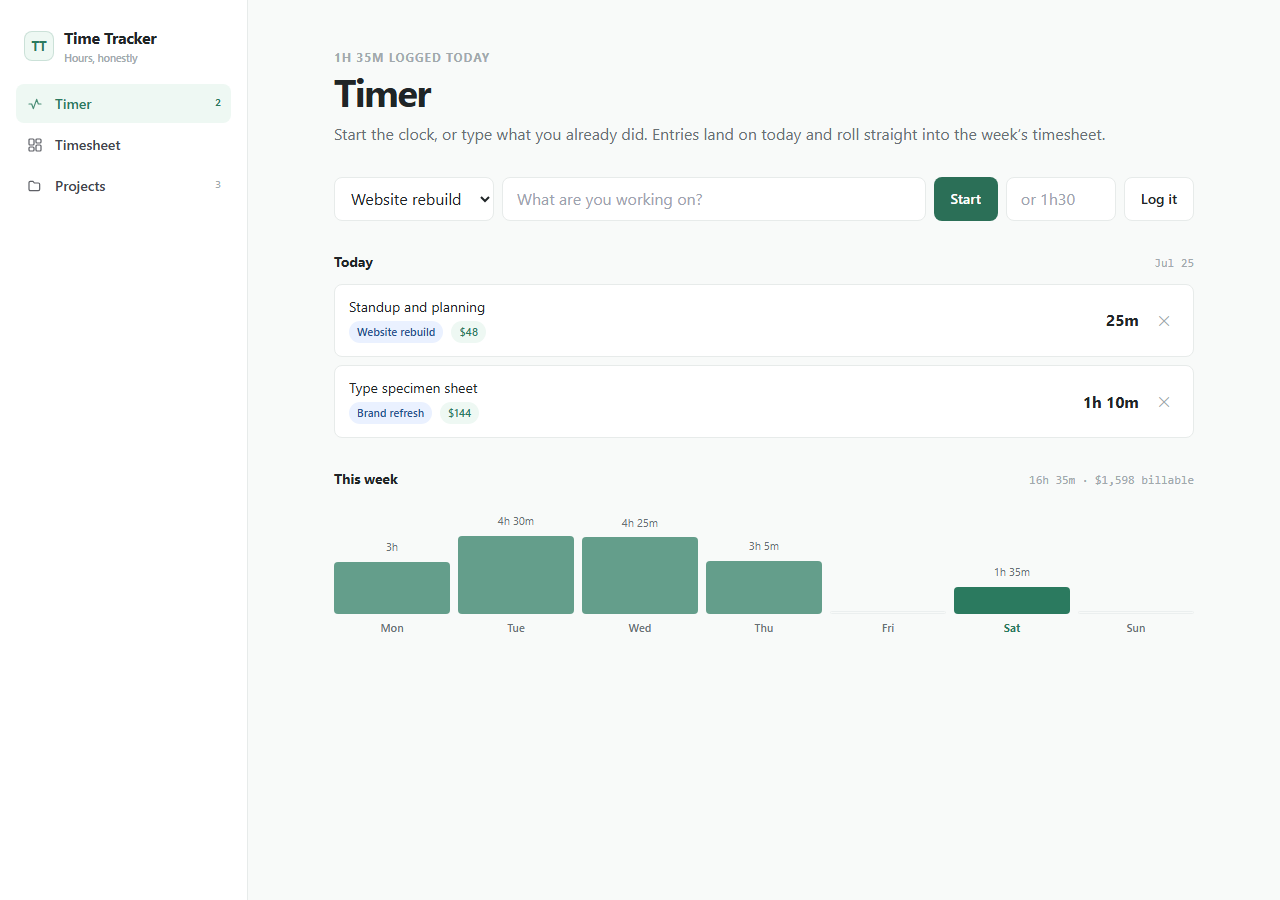
Time Tracker is the missing half of getting paid. Start a timer against a project or type what you already did — "90", "1.5h" and "1h30" all mean ninety minutes — and every entry lands in a seven-day timesheet grid with projects down the side and days across the top. Each project carries a client and an hourly rate, so billable value is computed as you go, and the billing increment is explicit: exact minutes, six-minute tenths, or quarter hours, always rounded up, the way agencies actually charge. The grid keeps showing the time you really tracked next to the time being billed, so you can see the gap rather than discover it. The CSV export is deliberately shaped like invoice lines — date, project, description, billed minutes, amount — which makes wiring it to a billing app the obvious first customization.
- Running timer that survives a page refresh
- Manual entry that understands 90, 1.5h, 1h30 and 1:30
- Weekly timesheet grid with per-day and per-project totals
- Per-project client and hourly rate, with non-billable work marked as such
- Billing increments — exact, 6-minute, or 15-minute, always rounded up
- CSV export shaped like invoice lines
time-tracker/├── app/the running Next.js app├── agent/START_HERE, PROJECT_MAP, RULES, RECIPES, TESTS, DEPLOY├── CLAUDE.mdread automatically by Claude Code├── AGENTS.mdread automatically by Codex├── .cursor/rules/loaded automatically by Cursor└── README.mdrun it, then make it yours
Inside the app
Customize with AI
Your agent already knows this codebase.
Ships with CLAUDE.md, AGENTS.md, Cursor rules, and a full agent handbook — project map, safety rules, recipes, tests, and deploy notes.
Prompts written against this app
Run it
5 min to your own copy.
- 01Create your editable app copy and unzip it.
- 02Run npm install.
- 03Run npm run dev and open http://localhost:3000.
- 04Read /agent/START_HERE.md before customizing.
- 05Swap the local-first storage boundary for your own backend when ready.
Time Tracker data stays in this browser by default.
No account, backend, or cloud sync is included in the current package.
An agent can add optional sync later while preserving the local-first default.
This package is standard-ready for Create My App and AI customization.
A full app-only PWA install route is not enabled yet for this app.
Questions people ask
Yes. The demo is a complete working app you can use and install, and the source package is MIT licensed. There is no account, no seat pricing, and no upgrade tier.
In your browser. Nothing is uploaded, so no client name, project, or rate leaves the device you are working on unless you add a backend yourself.
Yes. You can bill exact minutes, six-minute tenths of an hour, or quarter hours. Rounding is applied per entry and always upward, and the grid keeps showing the time you actually tracked alongside it.
That is the intended next step. The CSV export already carries date, project, description, billed minutes, and amount, so an AI coding agent can wire it into the Invoice & Estimates foundation or your own billing system.
If this isn’t quite right
Take Time Tracker and make it yours.
Free, MIT, 5 min to running. The demo above is exactly what lands in your folder.