Open Source Client Portal Template
Secure client spaces for files, updates, invoices, and approvals.
A polished portal foundation for agencies, consultants, and service businesses that need private client workspaces.
This is the real app, not a mockup. Whatever you enter in the demo stays in your browser and belongs to nobody.
What you get
One zip. Everything to own it.
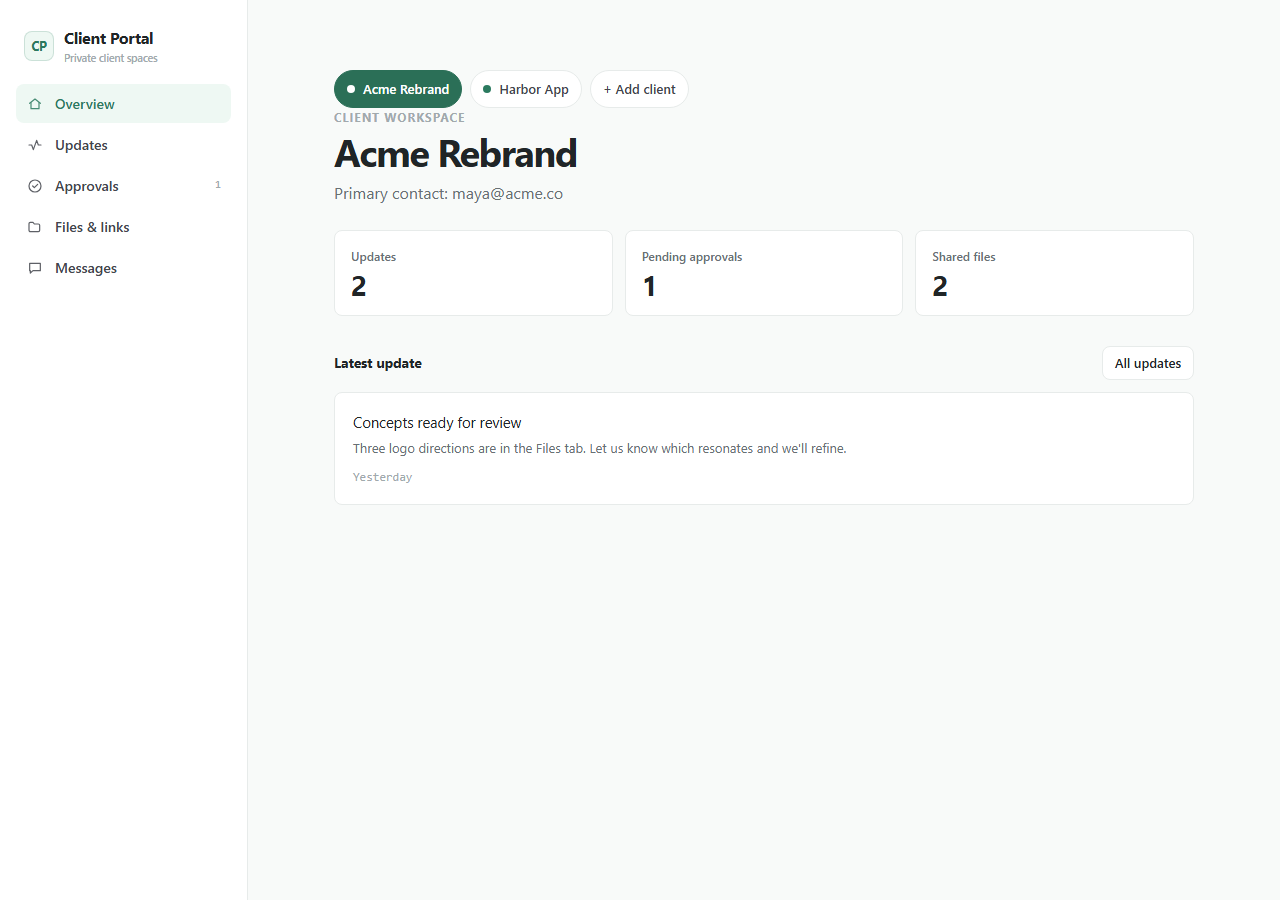
Client Portal is a practical business foundation for turning scattered email threads into a calm shared workspace. It includes client areas, file references, project updates, approvals, permissions, and notification templates with a structure an AI agent can extend without guessing.
- Client workspaces and invitations
- File and link sharing
- Project updates and approval states
- Message threads and notification templates
- Permission model ready for customization
client-portal/├── app/the running Next.js app├── agent/START_HERE, PROJECT_MAP, RULES, RECIPES, TESTS, DEPLOY├── CLAUDE.mdread automatically by Claude Code├── AGENTS.mdread automatically by Codex├── .cursor/rules/loaded automatically by Cursor└── README.mdrun it, then make it yours
Inside the app
Customize with AI
Your agent already knows this codebase.
The agent package documents the portal modules, permissions, email templates, and common customization paths.
Prompts written against this app
Run it
5 min to your own copy.
- 01Create your editable app copy and unzip it.
- 02Run npm install.
- 03Run npm run dev and open http://localhost:3000.
- 04Read /agent/START_HERE.md before customizing.
- 05Swap the local-first storage boundary for your own backend when ready.
Client Portal data stays in this browser by default.
No account, backend, or cloud sync is included in the current package.
An agent can add optional sync later while preserving the local-first default.
This package is standard-ready for Create My App and AI customization.
A full app-only PWA install route is not enabled yet for this app.
If this isn’t quite right
Take Client Portal and make it yours.
Free, MIT, 5 min to running. The demo above is exactly what lands in your folder.